
AI Assistant
Understand how assistants in DreamCreator are built from models, tools, skills, memory, and workspace access.
Introduction
The AI Assistant is another core part of DreamCreator. It includes capabilities related to chat, research, content organization, tool execution, library job creation, long-term memory, and automation follow-up.
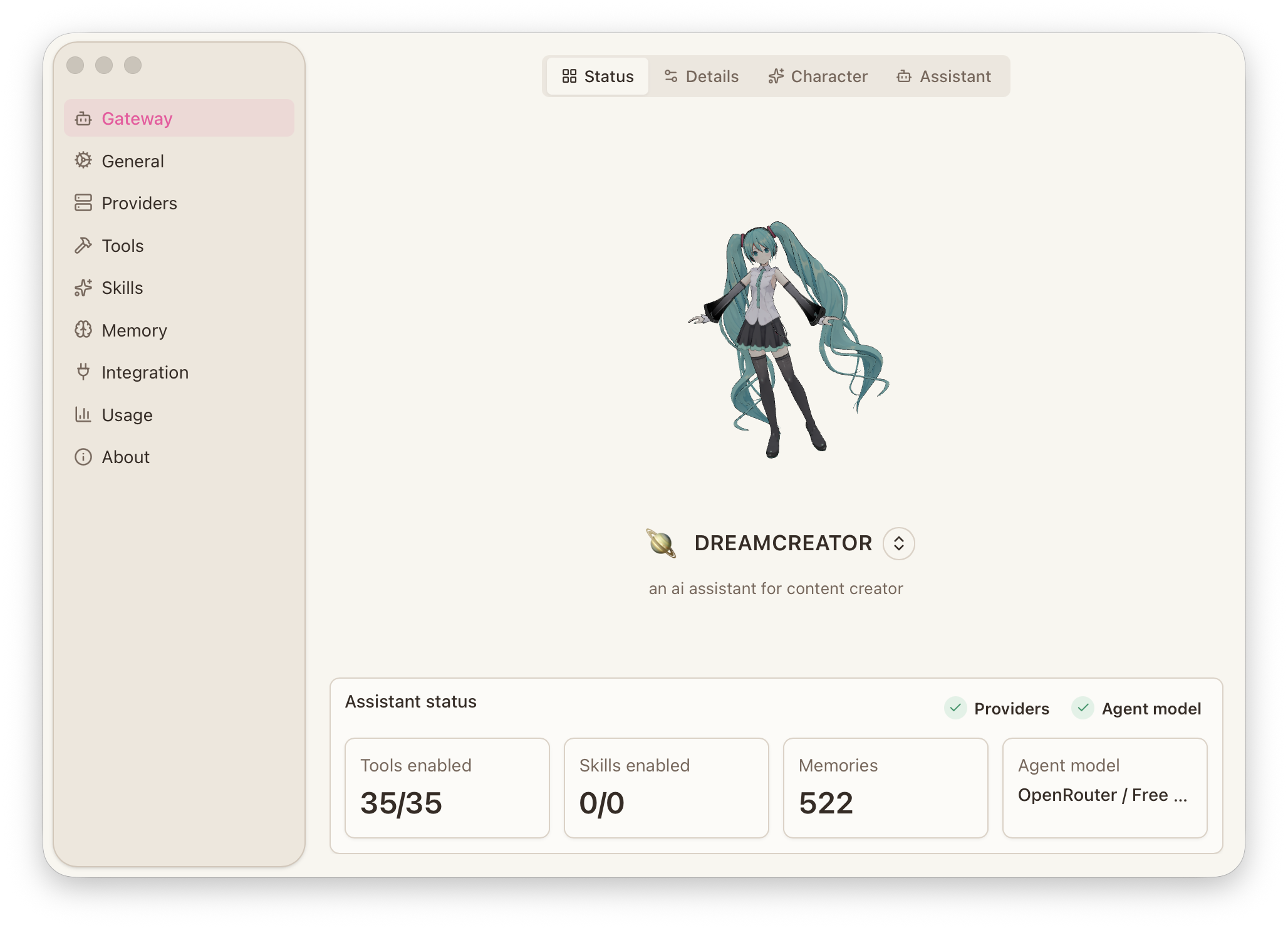
Composition
A usable assistant has to connect several layers:
- provider and model: decide which AI service it uses and which default model it runs on
- the assistant itself: decides its name, role, default state, and main behavior entry
- tools and skills: decide whether it can browse the web, read files, run commands, or start download, transcode, and subtitle jobs through
Library queryandLibrary jobs - memory: decides whether it can keep long-term understanding of projects, users, and tasks
- workspace and permissions: decide which files, threads, and local execution abilities it can touch
Most of this is configured in Preferences -> Provider and Preferences -> Gateway -> Assistant.
Scope
The AI Assistant is used beyond the Chat page.
- In
Chat, it can keep working with references, files, web pages, and your current goal, and can also continue by creating library jobs. - In the
Resource Library, AI-powered subtitle flows depend on the current provider, model, and assistant configuration, and their results return to the library. - In
Scheduled Tasks, the assistant can be woken up repeatedly to run ongoing jobs and continue by starting download, transcode, and subtitle processing. - In
Mobile Channels, the same assistant can continue through Telegram away from the desktop and start library jobs there as well.
Library Jobs
With the related tools enabled, the assistant can connect directly to the asynchronous job system inside the Resource Library.
Library query: check libraries, task lists, history, and single task status.Library jobs: create download, transcode, subtitle translation, proofreading, and QA jobs, and continue with cancel or resume actions on existing jobs.- These jobs return an operation ID first, then keep running in the background. Their state, outputs, and errors return to the Resource Library for follow-up.
- The same chat thread or Telegram conversation can continue following these jobs without switching to another execution surface.
Prerequisites
If you want to use the full assistant capability surface, confirm these two items first:
- the app is currently in
Full Mode - if onboarding is not complete yet, first finish the
Welcomesetup described in Install, First Launch & Updates
If onboarding is incomplete, the chat page will show the current status.
Scenario Split
Different assistants can be used for different kinds of work so that context, tool access, and permission boundaries remain separate.
- Research assistants fit reference gathering, idea development, and structure work.
- Subtitle assistants fit translation, proofreading, and terminology control.
- Execution assistants fit library job creation, tool use, automation, and follow-up work.
After splitting these roles, threads and long-term memory stay separate and are easier to manage.